
How to Delete an Account
Important: if you delete your account, all your game coins, premium fighters, other purchases, and personal data will be erased!
Please make sure that you need it before proceeding!
To delete your account, follow these steps:
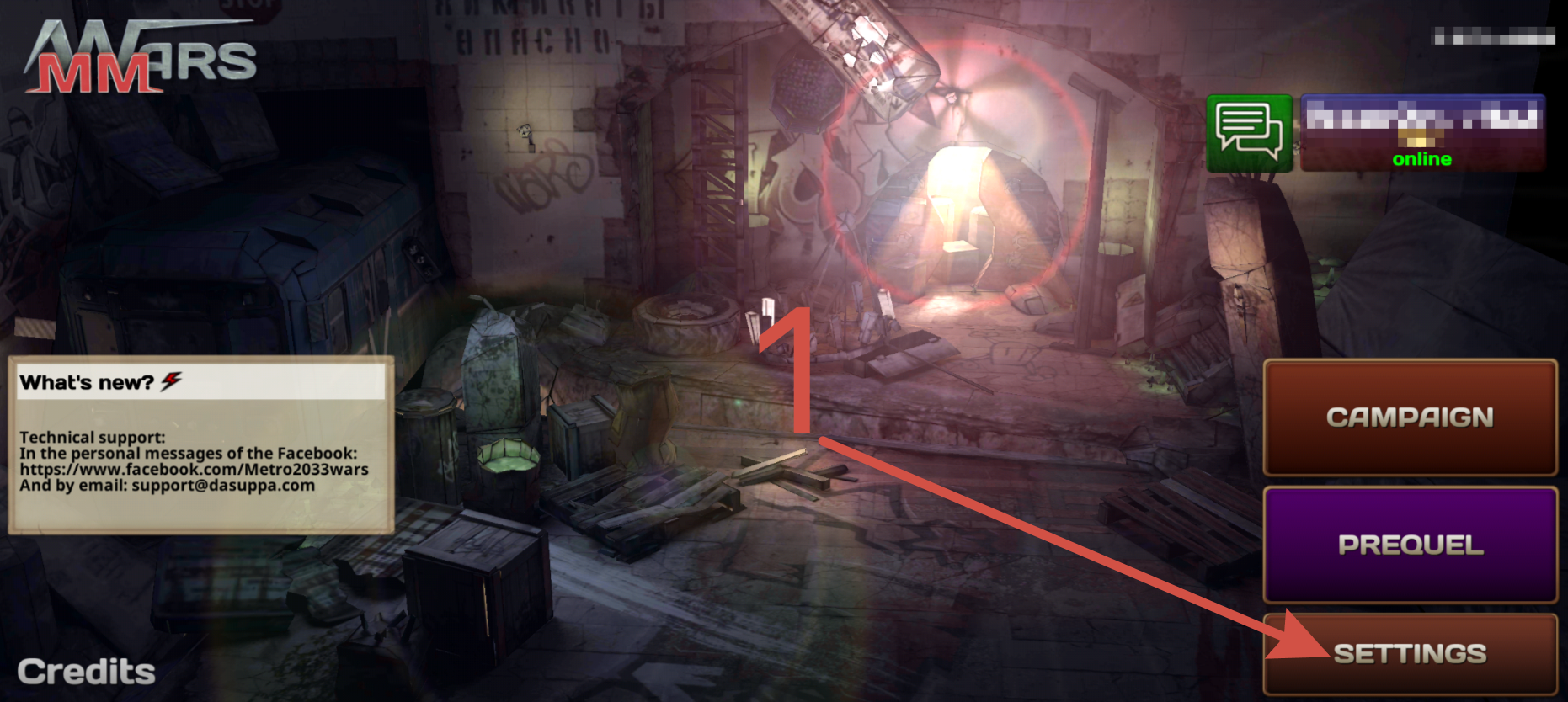
0. Open the main menu.
1. Navigate to "SETTINGS".
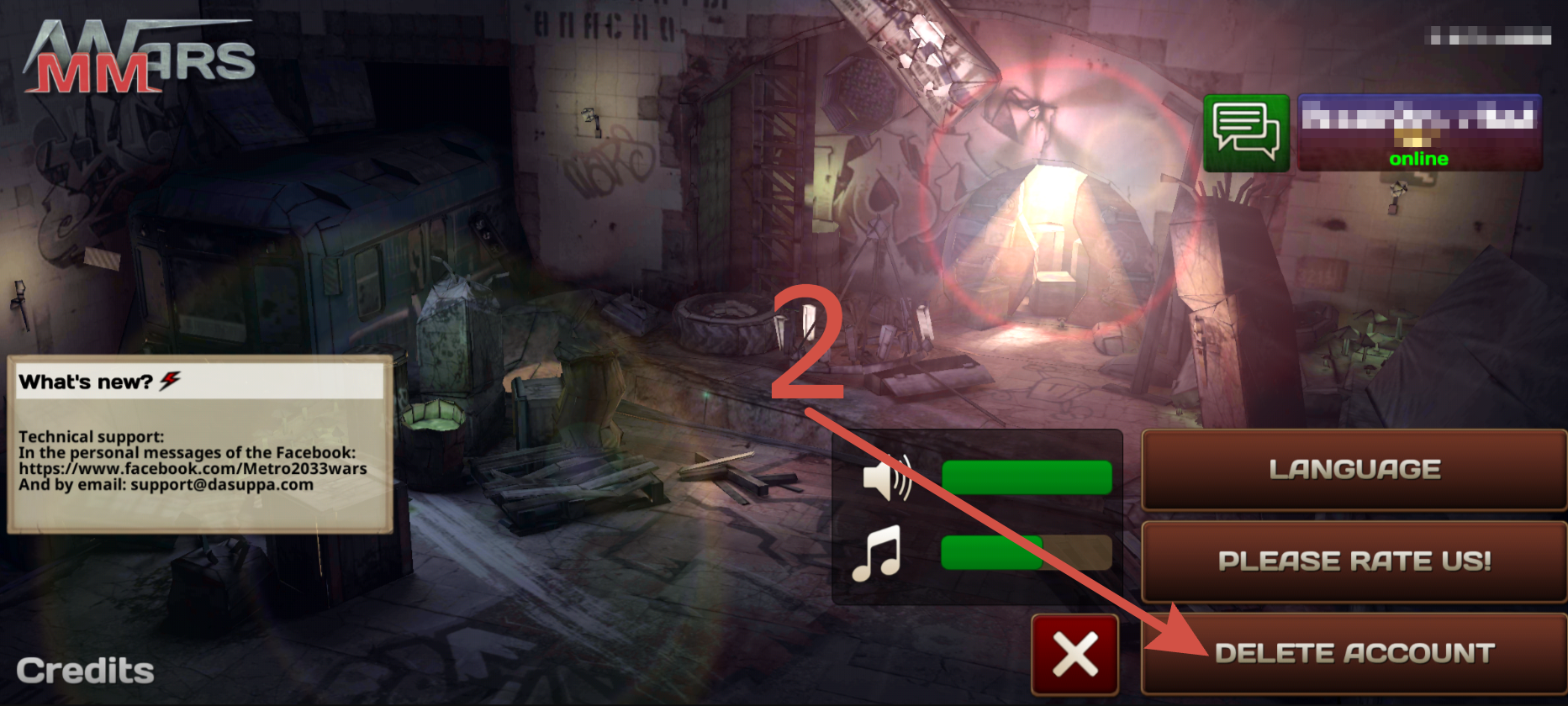
2. Click on "DELETE ACCOUNT".
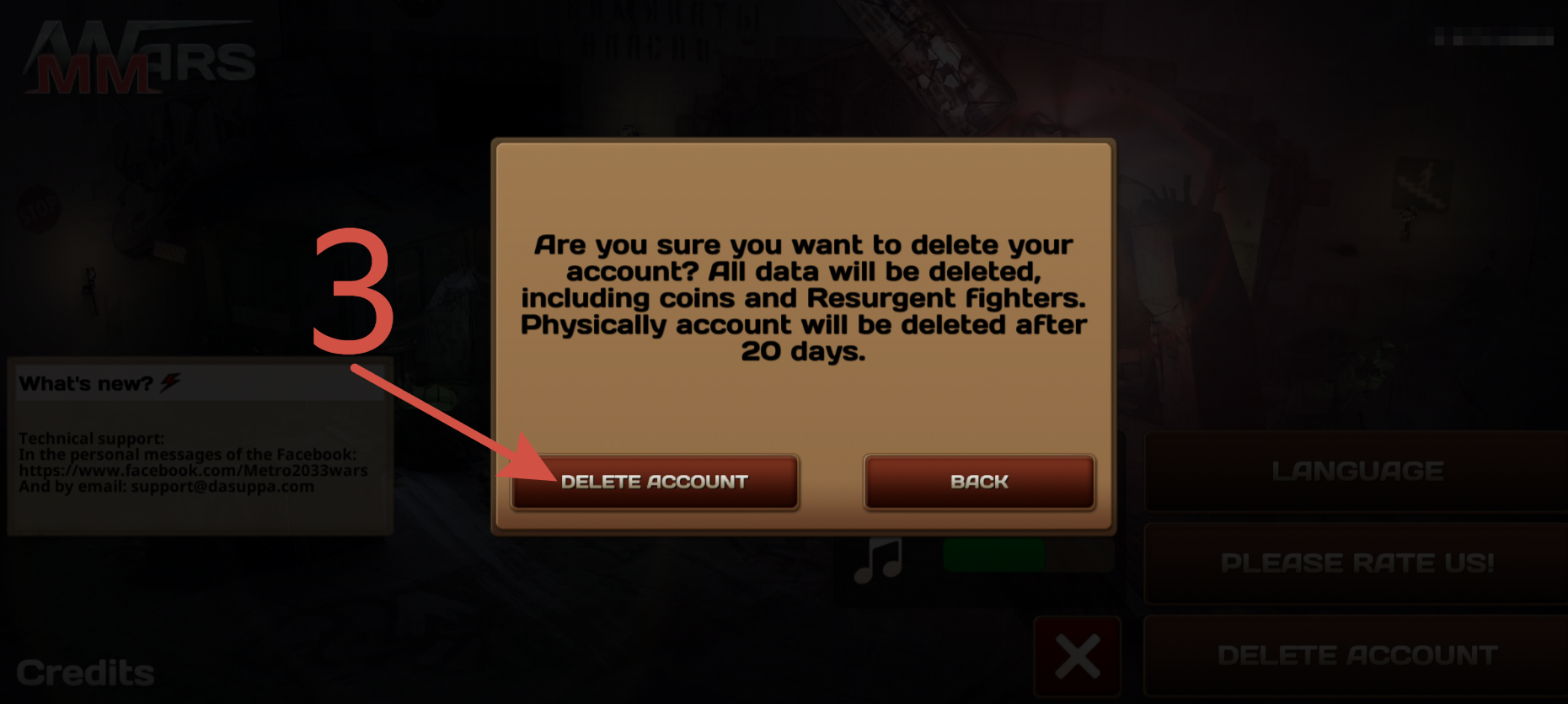
3. Confirm your choice by clicking "DELETE ACCOUNT" again in the window that opens.
(For your convenience, below are screenshots showing the listed actions)
After that, you will automatically log out of your account, it will become unavailable for authorization, and 20 days after that it will be completely deleted.
Important: during the specified period, you can ask technical support to cancel the deletion.
However, due to technical difficulties and a number of other circumstances, we cannot guarantee that this process will be able to be reversed!
Therefore, we ask you once again to make sure that you need it before proceeding!
Any problems or questions about the game? Contact us!

via private messages on Facebook
Or by email: support@company.com